Coming Soon to Micro Center: The Next Wave of Logitech Pro Gaming Accessories

On September 23, Logitech held its Logitech G PLAY 2026 event, announcing a slate of new gaming accessories and features, including a new wave of Logitech Pro keyboards, mice, and headsets.
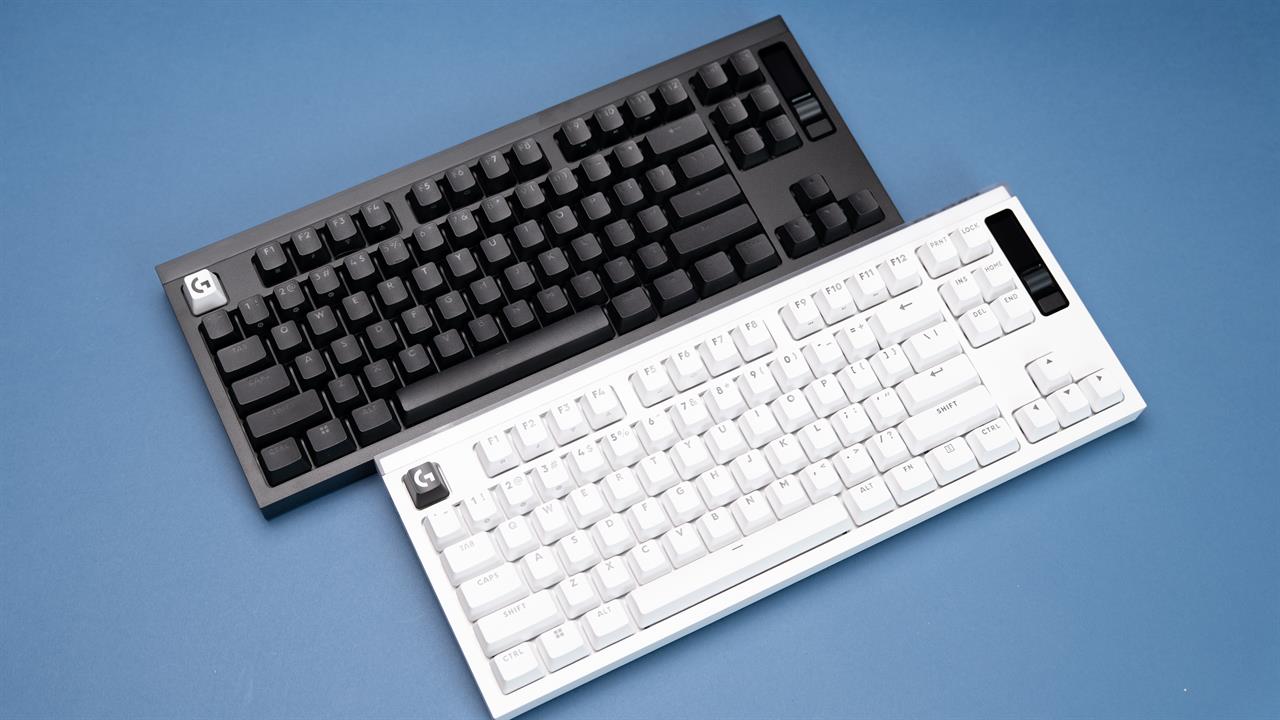 Photo: Jacob Bobo
We got to go hands-on with these new accessories just a little bit early and compiled some quick thoughts about what makes the new Pro X3 superstrike mouse, Pro X2 rapid keyboard, and Pro X3 lightspeed headset great entries in Logitech’s lineup.
Logitech Pro X3 Superstrike Mouse
The X3 Superstrike is the latest iteration of Logitech’s Superstrike mice. I went hands-on with the X2 back when it launched and found it to be a great little mouse designed for the hardest of hardcore gamers with a massive amount of nitty-gritty customization and high-impact features. Those features make a return in the X3 Superstrike, including the Hero 2 sensor for up to 44,000 DPI, up to an 8K polling rate in both wired and wireless mode, and, of course, the customized clicks.
 Photo: Jacob Bobo
The customizable click is, in my opinion, the biggest draw of the Superstrike mice. Using the Logitech G HUB you can change the actuation point, adjust how quickly you can press the button again, and even adjust the feedback — the “click” — from the mouse itself. If you want a silent mouse with no feedback, it's weird and hard to use in my experience, but you can. Or, you can crank the feedback to max for a classic mouse feel.
The biggest difference between the X2 and X3 superstrike is the battery, which has been expanded by, according to Logitech, up to 45 hours. That’s a massive increase, taking the already impressive 90-hour battery life and bumping it up to 135 hours (at 1k polling). Also adjusted was the weight, slightly rebalancing it for a more even glide.
It’s a wildly versatile mouse and the new Magenta Eclipse color is striking to say the least, but if you want a good understanding of what to expect with the shape of the X3, you can check out our video on the X2 on our YouTube channel for a more in-depth visual overview.
Logitech Pro X2 Rapid Keyboard
Where the X3 Superstrike allows for in-depth customization for your mouse, the X2 Rapid offers something similar for keyboards. While I found the keyboard to be incredibly responsive for both gaming and typing out of the box, if you have the skills to make the most of the X2, there’s a lot of personalization to be done.
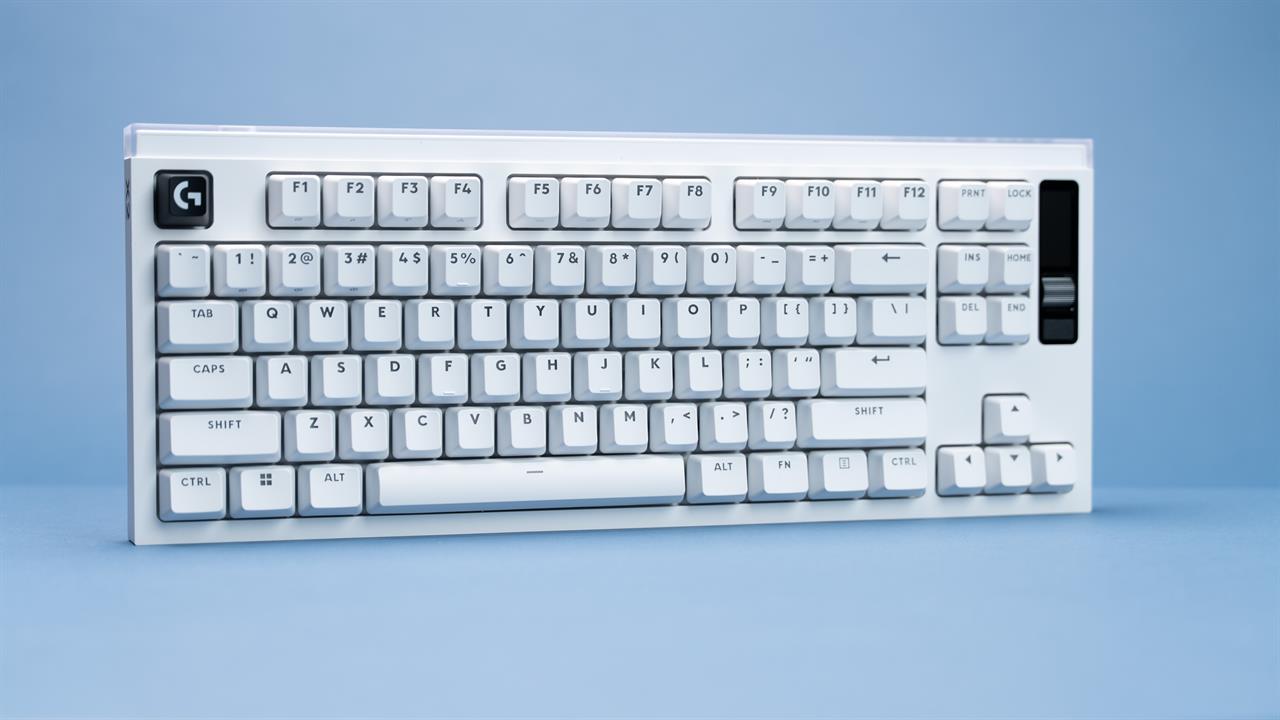 Photo: Jacob Bobo
But before we dig into that, let's look at the actual keyboard. The Pro X2 is a TKL keyboard, so it doesn’t have a number pad. Instead, what it does have is a small OLED screen on the right edge of the keyboard with on-the-go settings (if you’re attached to a computer with G HUB, you’ll have to use G HUB settings). Under the keycaps are High Profile Analog Linear Hall Effect switches. In simpler terms, these are incredibly smooth keys with no actuation feedback (no click or tactile “hiccup”) that use magnets instead of traditional mechanical switches for a longer lifespan as well as more in-depth options.
For example, the X2 Rapid lets you adjust your actuation point — the spot where a keystroke is registered — from 0.1 mm all the way up to 4 mm. While the default is 2 mm, if you’ve got light fingers and want to move as quickly as possible, you might want to shorten the actuation point, or vice versa if you tend to rest a bit heavier on your keys.
You can also enable Rapid Trigger to press keys even faster by lowering the distance a key needs to travel before it can be pressed again. Key priority lets you customize how two buttons interact; if I press “A” while holding “D”, does “A” take priority, or should the keyboard continue to read “D?" Lastly, there’s a physical switch on the right-hand side of the keyboard that can be used to disable certain keys, so you don’t accidentally hit the “Windows” key in a firefight.
Logitech Pro X3 Lightspeed Headset
The Pro X3 Lightspeed headset might not have the same depth of customization that the X3 Superstrike and X2 Rapid, but it more than makes up for it with impressive sound quality, comfort, battery life, and range.
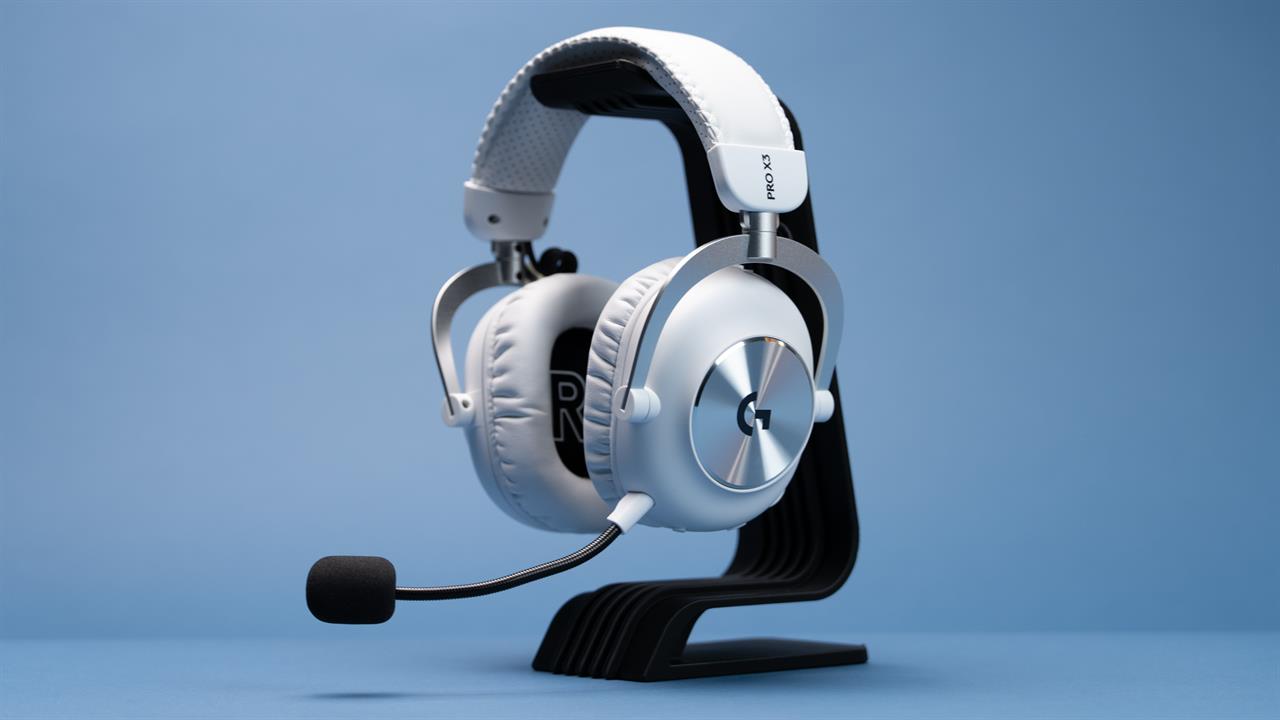 Photo: Jacob Bobo
I’ve been wearing these on-hear headphones in the office for hours at a time, barely noticing that I’m wearing them. The wireless is genuinely impressive, able to reach across the entirety of our warehouse-turned-studio with no drop in quality, let alone signal. And, if I do get out of signal, I can swap over to Bluetooth and keep listening on my phone. Gaming at home is just as solid, with clear surround sound. When enemies spawn in or try to sneak up, I’ve got a pretty good idea of where they are before they make a single move.
Underneath the hood of the Pro X3 Lightspeed, you have a 50mm PRO-G GRAPHENE driver, an omnidirection microphone, and a battery that should last you up to 70 hours. And for those of us who still yearn for the early days of the headphones, there’s even still a 3.55mm audio jack.
The Logitech Pro X3 Superstrike mouse, Pro X2 Rapid keyboard, and Logitech Pro X3 Lightspeed headset will be available at your local Micro Center very soon, so keep an eye on our website for stock updates.
Of course, we also have a wide selection of Logitech peripherals, so if you’re still not sure which one is right for your needs, stop by. Our knowledgeable associates will be more than happy to help you find the perfect accessory whether you're working, gaming, or just scrolling the internet.
Read More: Buying Guides
- The Micro Center 2026 Back-to-School Guide: Essential Tech for Students
- What's Driving You? The Best IFixIt Screwdriver Sets to Take Things Apart
- Buying Guide: Thekapco and Charlie Brown Arrive at Micro Center
- RiiTek Keyboard Buying Guide: Finding the Right Fit for Your Setup