
Are 1Gbps Home Networks a Local AI Bottleneck? Why 2.5GbE+ Ports are The New Norm
For most things, 1Gbps Ethernet is fast enough. Running local AI models changes that -- here’s why.AI

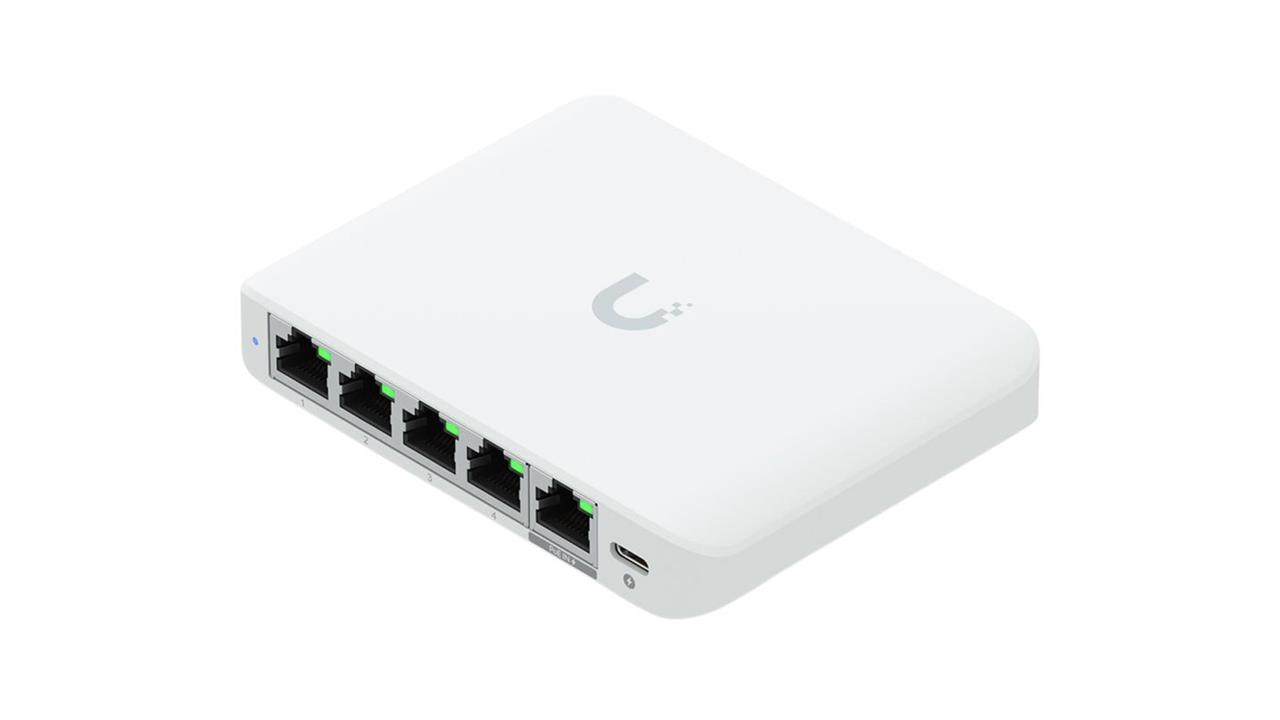
Photo: Ubiquiti
Gigabit Ethernet works just fine for most data-intensive tasks, including gaming, livestreaming, or uploading large files to the cloud. But when you run an AI model locally, you can hit the bottleneck fast and on a number of tasks.
For example, imagine querying an Ollama server from a different device or storing your entire AI model library on a NAS. When high-volume data transfers rely on consistent speeds and tons of bandwidth, 1GbE reveals its real ceiling.
But if you can't afford the latency, the good news is that upgrading to 2.5 Gbps Ethernet costs very little since it can run on your existing Cat5e and Cat6 cabling. You can complete your entire hardware upgrade by getting a new ethernet switch and possibly a network adapter.
Where does Gigabit Ethernet hit its ceiling?
1Gbps is a link-layer rating which does not reflect the speed of your actual data transfers. When you factor in losses from the framing overhead, inter-frame gaps, and the TCP/IP header stack, you're looking at a connection that tops out at 115 MBps (the equivalent of 0.92 Gbps or 920 Mbps) under the best of conditions.
Upgrading to 2.5GbE can more than double the speed of your data transfers, so even after accounting for losses during data traversal, your real-world connections sustain a steady 290 MBps. This is more than sufficient for running Meta Llama 3.1 and Qwen2.5 with Q4_K_M quantization, which you can notice right away.
Transfer speed by model size
| Model | Size (Q4_K_M) | Transfer at 1GbE (~115 MB/s) | Transfer at 2.5GbE (~290 MB/s) |
|---|---|---|---|
| Llama 3.2 3B | ~2.0 GB | ~18 sec | ~7 sec |
| Gemma 3 4B | ~2.5 GB | ~22 sec | ~9 sec |
| Qwen2.5 7B | ~4.7 GB | ~41 sec | ~16 sec |
| Llama 3.1 8B | ~4.9 GB | ~43 sec | ~17 sec |
| Qwen2.5 14B | ~9.0 GB | ~78 sec | ~31 sec |
| Phi-4 (14B) | ~9.1 GB | ~79 sec | ~31 sec |
| Qwen2.5 32B | ~19.9 GB | ~2.9 min | ~1.1 min |
| Llama 3.3 70B | ~42.5 GB | ~6.2 min | ~2.4 min |
| Qwen2.5 72B | ~47.4 GB | ~6.9 min | ~2.7 min |
2.5GbE won't always move the needle
Token generation depends entirely on your device's throughput, not data transfer speeds. Once a model has finished loading on your device, a faster network doesn't help it run quicker. It now depends entirely on your GPU.
If you're running a single-machine local AI setup with no data exchange requirement (like hosting your AI model on a local NVMe drive), your local data transfers are already happening at 3-7 GBps without involving an Ethernet connection.
Then there's your home ISP. If you need to route traffic for your AI workflows through the internet, upgrading the local network solves only one part of the problem. You also need a consumer broadband that runs well over the 115 MBps ceiling for a 2.5GbE upgrade to make any difference.
Which local AI workflows are most affected?
So if single-machine AI setups aren't affected, why bother upgrading your local network at all? For most local AI users, running a model on-premises means routing data through multiple on-site devices. This is where 2.5GbE connections offer the most noticeable gain. For example:
Pulling models from a NAS
Let's say that you've stored your model libraries on a Network Attached Storage (NAS) device instead of your local SSD. At 1GbE, a 42.5 GB model like Llama 3.3 70B takes more than a full six minutes to load before any inference can begin. 2.5GbE cuts that wait time into just over two minutes.
Querying an Ollama server
A full 128K-token conversation usually amounts to 500KB of text, which transfers in less than 5ms on a 1GbE network. So for a text-only inference, I have found that the bottleneck is always GPU compute, not Ethernet.
1GbE connections struggle with multimodal requests, though. For example, a single high-resolution image sent to a vision model runs several megabytes, which can add up when multiple clients are hitting the server at the same time. If your Ollama server loads models from a NAS device, every model swap travels over the same wire as your prompts. This is where the 1GbE ceiling starts to cost you a lot more time across runs.
Multi-node local AI setups
If you split the inference phase of your LLM across two or more devices, you can run massive language models even with lower memory limits on individual workstations. You can also separate retrieval and generation nodes in a local RAG pipeline to further optimize hardware requirements. But in either case, every transfer between devices suffers heavy latency. At that scale, 2.5GbE becomes a minimum requirement.
Outlining the full 2.5GbE upgrade path
There are three main phases to the upgrade. There's the switch, adapters for devices that need them, and your home network cabling (which is usually sufficient as-is).
Ethernet switch
Nothing on your local network runs faster than the slowest device in the path, which is almost always the ethernet switch if you haven't touched it.
There are several good options depending on how much control you want. The NETGEAR 5-Port 2.5G Multi-Gigabit Ethernet Plus Switch (MS305E) has a web management interface with VLAN, QoS, and traffic prioritization, great if you want to separate AI model traffic from the rest of your home network. The TP-Link 8-Port 2.5G Multi-Gigabit Desktop Switch is plug-and-play with no configuration required, with eight ports to cover a desktop, NAS, Raspberry Pi server, and a few other devices at once. Smaller is the Ubiquiti UniFi Flex Mini 2.5G 5-Port Switch with five ports.
Each of these options run over existing Cat5e and Cat6 cabling without any additional drivers.
Network adapter
If your desktop shipped with a 1GbE onboard Network Interface Card (NIC) like most builds through 2023, upgrading your network is as easy as a card swap that costs as little as $20. Many cost-friendly 2.5GbE adapters are also available for laptops with USB-C ports and even the Raspberry Pi 5.
-
The TRENDnet 2.5GBase-T PCIe Network Adapter (TEG-25GECTX) installs in any PCIe 2.0 x1 (or later) slot, auto-negotiates between 2.5Gbps, 1Gbps, and 100Mbps, and supports jumbo frames up to 9KB, which reduces per-packet overhead on sustained large file transfers. Both standard and low-profile brackets are included.
-
Laptops don't have spare PCIe slots and a USB-C adapter is therefore the only practical path. The Inland USB Type-C to 2.5 Gigabit Adapter ($27.99) works on Windows and macOS, plugs into any USB-C port, and needs no configuration. It's what I'd reach for when querying a home Ollama server from my laptop.
-
The Raspberry Pi 5 ships with a Gigabit Ethernet port, but it also has a PCIe 2.0 x1 interface that sits unused by default. The 52Pi 2.5Gbps PCIe Network Adapter for Raspberry Pi 5 connects via FPC cable to that PCIe slot and adds a full-speed 2.5GbE port running on a Realtek RTL8125BG controller. It works out of the box with current Raspberry Pi OS kernels and doesn't share USB bandwidth with other connected peripherals.
Cabling
10GbE connections require Cat6A cables to reliably maintain their data transfer rates, which is why these never became the standard home network upgrade path for most users. 2.5GBASE-T was specifically designed to run on existing Cat5e and Cat6 cabling at distances up to 100 meters, which means no rewiring and no new cable runs for the vast majority of home network setups.
The only prerequisites for your 2.5Gbps upgrade are 2.5GbE-capable ports at both ends and a switch that matches. If your home already has Cat5e or Cat6 in the walls, or you're using any modern patch cable, you're already cabled for 2.5GbE.
That said, if you are due for a cable upgrade anyway, we'd suggest investing in good quality solid copper cables (not Copper-Clad Aluminum or CCA), like the Inland 250 Ft. CAT 6 Bare Copper Bulk Ethernet Cable. It can support 10 Gbps network speeds for a distance of up to 55 meters (180 feet), making it more than sufficient for 2.5GbE.
TL;DR
Gigabit Ethernet handles most home networking tasks without issue, but it struggles with local AI workflows involving large model files, cross-device inference, and NAS-based model storage.
2.5GbE removes that bottleneck without any rewiring costs. Buying a switch and one or two adapters covers a complete upgrade with a minimal investment. If your local AI setup involves more than one machine, this is the most cost-effective hardware upgrade you can make right now.
More from MC News
-
Run AI Locally: The Best LLMs for 8GB, 16GB, 32GB Memory and Beyond
-
How to Use Local AI With Your Own Files: A Beginner's Guide to RAG
-
Reading vs. Answering: The Two Hardware Bottlenecks Behind Local AI Performance
-
Quantization Explained: Why the Same LLM Gives Better Results on High-End Hardware
-
Why Context Length, Not AI Model Size, Is Your Biggest VRAM Problem
-
Fix It Yourself: Talking to iFixit on Why Repairable Tech Matters
Ritoban Mukherjee is a journalist and product reviewer specializing in B2B tech, AI, and software-as-a-service platforms. He's a contributing writer at TechRadar and ZDNET, with previous bylines in Tom's Guide, Gizmodo, Mental Floss, etc.