
NPU vs. CPU vs. GPU: What Each Processor Does
CPUs, GPUs, and NPUs handle different kinds of work. Here’s what you need to know and how each matters for work, gaming, and on-device AI.AI


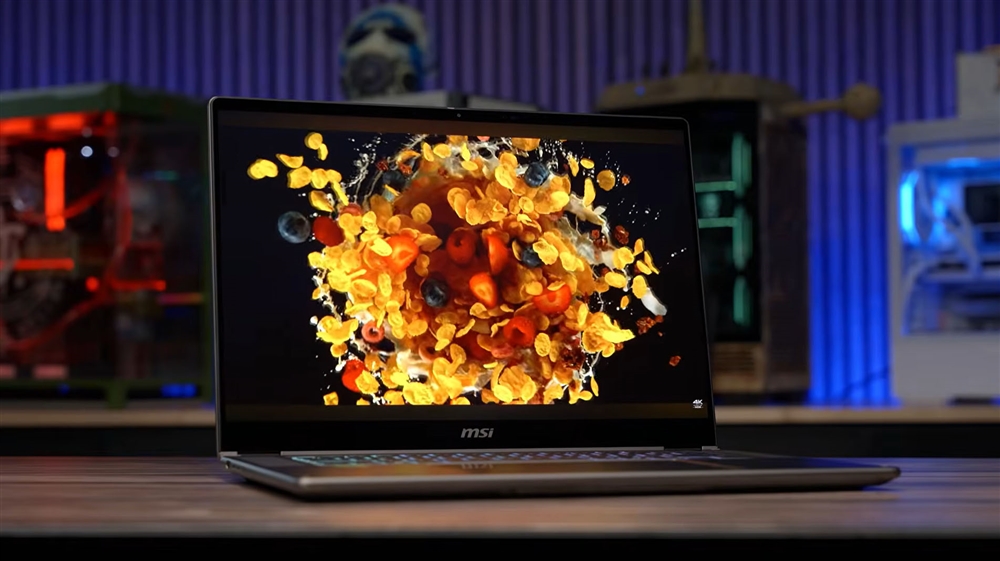
Photo: Jacob Bobo
It's easy to become inured to the technology we rely on a daily basis. The reality is that the screens, keyboards, and computer chips we use have been built on decades of iterative design and advancements, all of which have profoundly changed the human situation. Imagine trying to explain to someone 100 years ago that the same technology humans used to get to the moon also helps us watch cat videos on the internet.
As you compile charts in Microsoft Excel, play games from the Epic Games Store, or turn to AI to help with history homework, the CPUs, GPUs, and NPUs inside our machines are performing complex mathematical operations, but in different ways. This guide will break down what each kind of processor does and give you the insight you need so that you know exactly what hardware you actually need before building or buying your next PC.
NPU vs. CPU vs. GPU: what are the differences?
The short version
| Processor | What's it used for | What it's best at | Examples |
|---|---|---|---|
| CPU (central processing unit) | General-purpose computing, system control, background services. | Complex, variable, sequential tasks | Running Windows/macOS, launching apps, spreadsheets, game logic |
| GPU (graphics processing unit) | Large-scale parallel computing | Rendering graphics, visuals, and high-throughput AI workloads | Gaming, 3D creation, photo and video editing, AI-model training |
| NPU (neural processing unit) | Neural-network acceleration | Low-power sustained AI inference on-device | Background blur, live captions, voice effects, image enhancements |
A detailed breakdown
In its most basic form, processors represent data through a true or false binary. True is defined as a one and false is zero. Thankfully, humans don't need to communicate with computers with zeroes and ones. It's hard to imagine, but whether it's playing Solitaire or producing music in FL Studio, at its core, computer chips are flipping true-or-false-on-or-off switches at a microscopic level.
Of course, it's a bit reductive to say all processors do is go back-and-forth with zeroes and ones. Processors use billions of transistors to perform arithmetic, logic, vector and other operations through complex circuits at extremely high speeds.
CPU
Think of a CPU as the generalist inside each device, handling a broad mix of instructions. The CPU runs the operating system, such as Windows, macOS, or even the interface on a Nintendo Switch 2. It also handles applications, background services, and game logic.
CPUs from AMD and Intel have a small number of powerful cores. A core is the physical processing unit inside the CPU. Older CPUs had one core whereas modern CPUs have a multicore architecture, meaning they're better at multitasking. The most popular gaming CPUs on the market currently, such as the AMD Ryzen 7 9800X3D, have eight cores, although more expensive workstation models have north of 24.
So, when opening Photoshop, a CPU handles the program's code, file operations, user input, memory management, and coordination with other hardware. When it comes to crunching mass amounts of repeated math, it's less efficient and capable. That kind of repeatable calculation is where the GPU comes in.
GPU
The GPU handles most things visual, rendering pixels, vertices, graphics, and other effects. A GPU has a bunch of smaller processing units that work together to handle large amounts of data and calculations in parallel.
The popular NVIDIA RTX 5070 Ti has 8,960 CUDA cores, 70 ray-tracing (RT) cores, and 280 tensor cores, for example. These cores aren't the same as cores found on a CPU, however. CUDA cores handle the bulk of math, such as physics, shading, and color. RT cores are specialized cores to help with real-time lighting physics, ensuring that a light source in a video game bounces correctly off of other surfaces to help sell a more realistic in-game world. Tensor cores are specialized AI cores that assist in rapid matrix multiplication to execute machine learning algorithms and process data patterns. These three core types work together to assist in DLSS (deep learning super sampling) which, for gamers, can take a lower-resolution frame of a video game and upscale it to something much higher, presenting an image that looks much sharper than what the underlying hardware could typically handle.
When using Photoshop, the GPU is what helps render the canvas and helps with features like zoom, rotation, and other filters. The CPU handles other applications, file management, and general editing. The NPU, however, can help in accelerating some of the more laborious tasks thanks to machine learning.
Modern AI models, from chatbots to image generators, rely on billions of simultaneous math calculations—a setup that plays directly to a GPU’s biggest strength: massive parallelism. While a CPU tackles complex tasks one after another using a handful of fast cores, a GPU deploys thousands of smaller cores to crunch entire grids of numbers all at once. Backed by specialized AI silicon like Tensor Cores and ultra-fast video memory (VRAM) that shuttles massive amounts of data without choking, the graphics card provides the raw, heavy-duty compute muscle needed to train models, render complex imagery, and run demanding local AI workloads that would bring other processors to a crawl.
NPU
The NPU, like a GPU, handles fast and complex mathematical computations, but is tuned towards machine-learning calculations. When running AI systems on-device, such as generating text, face tracking during a Zoom call, or converting speech to text, this is where an NPU can come into play.
GPUs typically use a lot more power. NPUs act as an efficient chip to offload certain AI functions. NPUs also excel in inference, which is using an already-trained AI model to produce a result.
When using Photoshop, while the GPU still handles most tasks, the NPU can hasten certain labor-intensive tasks thanks to machine learning, such as background removal, subject selection, or image enhancements.
Every component plays a role
Here's a more practical way to look at the difference between CPUs, GPUs, and NPUs, using a film analogy.
Imagine a movie is being made. Each person on a movie set has a different role. It's only by working in unison can the movie hit its budgetary and scheduled targets to see a wide theatrical release.
In this analogy, the CPU is the director, making wide-ranging decisions to coordinate the actors and the crew or handle unexpected problems. The GPU is the crew, handling costume, makeup, lighting, camera, and Craft Services.
The NPU is a newer role, a specialized assistant to help various parts of the crew, like fixing a broken sewing machine, finding the right shade of under-eye shadow, or selecting the best anamorphic lens for a specific shot. Could movie production have survived without the NPU? For decades it did. But now that the NPU is around, it's a much-loved addition to the overall workflow.
More from MC News
-
Run AI Locally: The Best LLMs for 8GB, 16GB, 32GB Memory and Beyond
-
How to Use Local AI With Your Own Files: A Beginner's Guide to RAG
-
Reading vs. Answering: The Two Hardware Bottlenecks Behind Local AI Performance
-
Quantization Explained: Why the Same LLM Gives Better Results on High-End Hardware
-
Why Context Length, Not AI Model Size, Is Your Biggest VRAM Problem
-
Fix It Yourself: Talking to iFixit on Why Repairable Tech Matters
Imad Khan is a journalist based in New York. He covers AI, Big Tech, internet culture and gaming. His bylines include CNET, The New York Times, The Washington Post, ESPN, Tom's Guide and Wired, among others.