The MCHOSE K99 V2 Retro is a Gorgeous Keyboard Mixing Past and Present

Math Blaster. Nick at Nite. Grunge. MTV. Chunky iMacs and translucent plastic. If any of those triggered a sigh of nostalgia, then I have the mechanical keyboard to show you: the K99 V2 Retro Edition from MCHOSE.
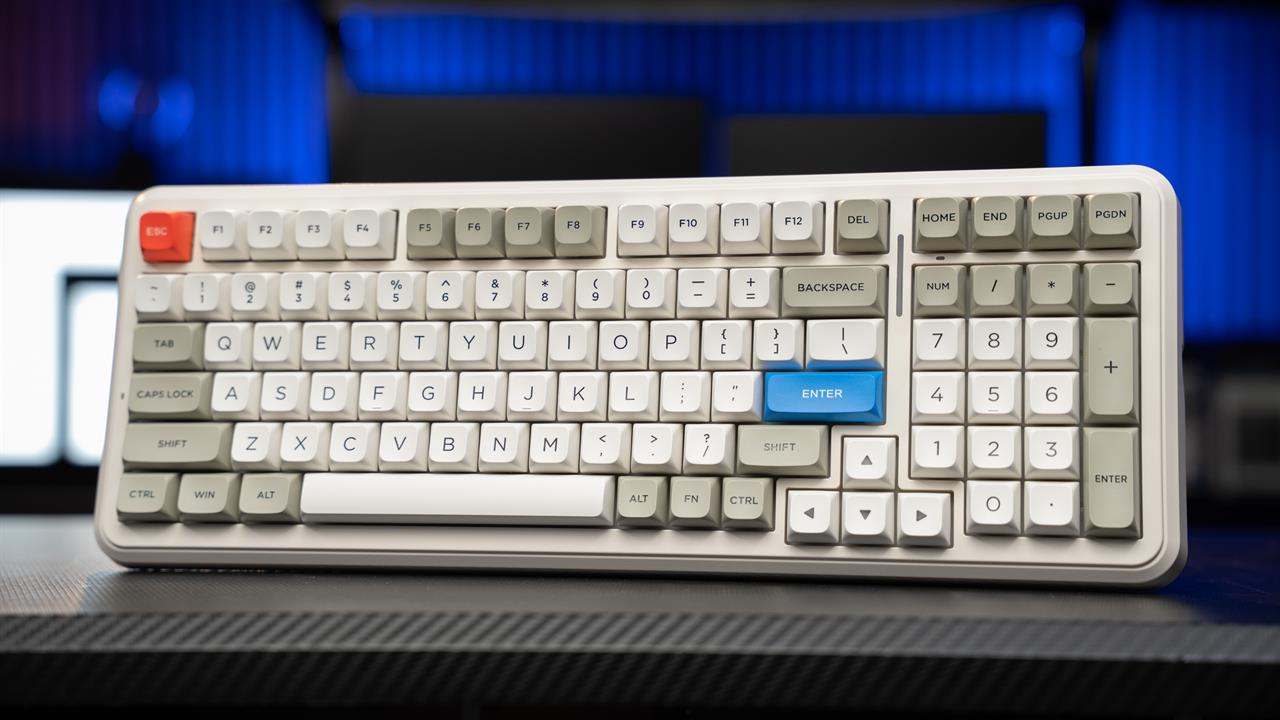 Photo: Jacob Bobo
This retro-inspired keyboard may look like somebody swiped it from your school’s library back in 1998, but under the hood is a slew of modern keyboard tech that makes it just as good at handling Marathon (2026) as it is at handling Marathon (1994).
Hands-On with the K99 V2
Right out of the box, the K99 V2 evokes the nostalgia for older, half-remembered keyboard designs from the era of computer labs and home offices, when the internet lived in one specific room rather than everywhere. Its muted white keys already feel as though they’re starting to yellow with the sun and the pops of color from a red ESC key and blue enter key also feel vaguely faded from years of wear. It’s a convincing pastiche of the keyboards those of us old enough to remember the '90s used.
How period accurate it actually is, however, is up for debate. It becomes immediately apparent how modern the design and construction is: The K99 V2 has some heft to it and the USB-C port on the back breaks the verisimilitude a bit, but flip the switch to 2.4Ghz or Bluetooth and the whole thing springs to life in a rainbow of colors.
 Photo: Jacob Bobo
Now, if you’re RGB-adverse and want the most authentic experience possible, the good news is that the RGB is naturally pretty understated -- most RGB is under-key and these are some very thick keycaps that limit light quite a bit, though there is an RGB strip on the back of the keyboard -- and can be easily turned off. Otherwise, the RGB is fully customizable with a plethora of options in the MCHOSE HUB app.
The K99 V2 uses linear Icy Creamsicle switches and they are a pleasure to type on. They’re quick and snappy with a satisfying resistance that offers just enough pushback to support fingers, but not enough that using the keyboard becomes exhausting. I try to write my keyboard hands-on pieces with the keyboard I’m talking about, and I’m still impressed with how this one types.
It also sounds absolutely fantastic. The K99 is joining the many keyboards that are starting to adopt a “thunk”-ier sound than the keyboards of even a few years ago, which sounded much more of hollow plastic hitting metal -- and the K99 is better for it. Whether it's the silicone gaskets, five layers of sound dampening foam, Dual-Shot PBT keycaps, or some combination of the three, it’s a fantastic sound.
Unsurprisingly, gaming with the K99 V2 is just as good. I found the keyspacing to be just wide enough that I wasn’t accidentally pressing multiple buttons in the harried moments of a firefight, but close enough that I wasn’t straining to reach the number row. I’m far from a professional gamer, but I also never ran into any “ghosting” issues; everything responded how I expected it to, no conflicting inputs.
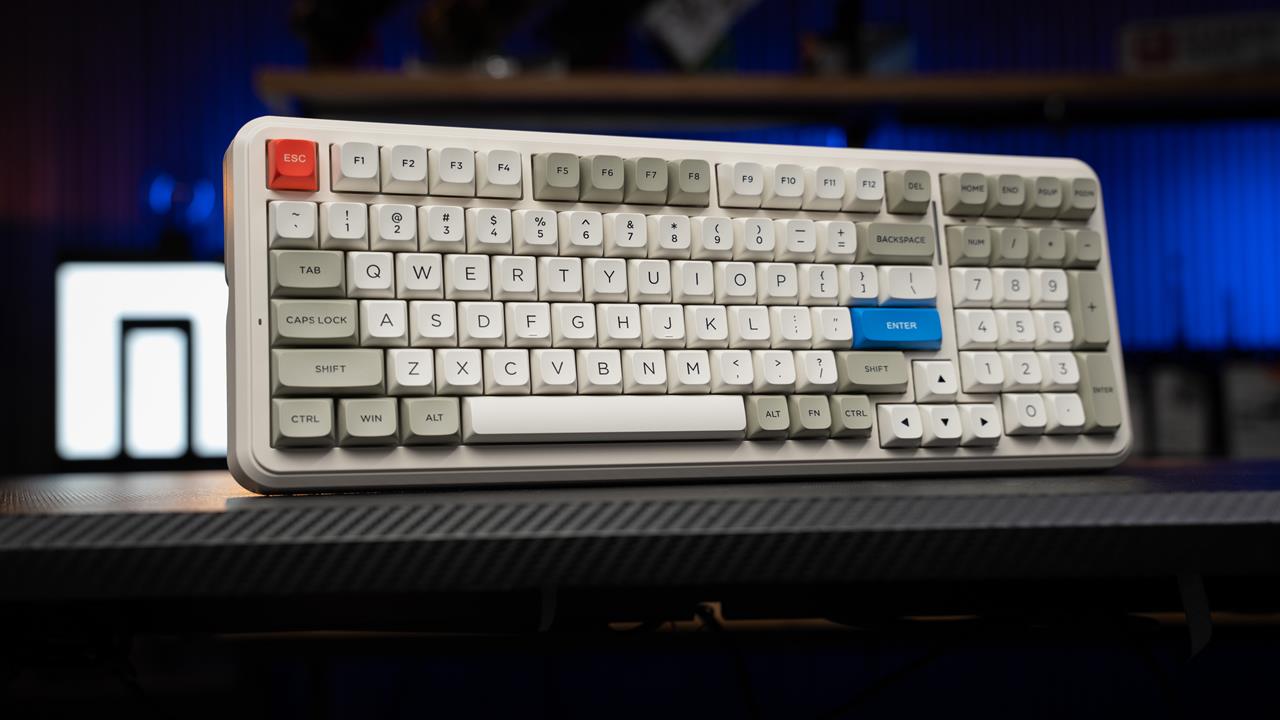 Photo: Jacob Bobo
Worth calling out as well is the size. As the K99 is a 98% keyboard, it features the 99 most important keys, just compacted down; it can be as much as 10% smaller than a full-size 100% keyboard. If you’re trying to save space but can’t let go of the numberpad, the K99 is only 15.7 inches wide.
The MCHOSE K99 V2 has just recently landed at Micro Center and, if this first offering is anything to go by, I am very excited to see what MCHOSE products we might carry in the future. It is a solid typing keyboard, great for gaming, sounds wonderful, and of course, looks dope, fly, sick, radical, or gnarly; choose your favorite '90s slang.
If you want to try out the K99 and see how it sounds and feels for yourself, head into your local Micro Center. We have a massive selection of keyboards and a knowledgeable staff that will be more than happy to help you find the perfect keyboard for your needs.
Check out more keyboards on Micro Center News:
- Keyboard 101: Intro to Computer Keyboards and How to Pick the Right One
- Buying Guide: The Yunzii C75 is an Adorable Mechanical Keyboard that Doesn't Sacrifice Quality
- Buying Guide: The Keychron V1 Ultra 8K is a Solid Mid-Range Mechanical Keyboard for Work and Gaming
- RiiTek Keyboard Buying Guide: Finding the Right Fit for Your Setup
- Buying Guide: MonsGeek M1 V5 Takes Both Mechanical and Magnetic Switches