
6 Hot New Agentic AI Models That Will Run on Your PC

Before now, 2026 has been a slow year for local LLM releases. Google released the Gemma 4 family, which includes several small models that can run on laptops with as little as 8GB of memory, and Alibaba released a few new variants of Qwen. Those models only slightly moved the needle on quality, and there otherwise wasn’t a lot to talk about.
Until now.
A half-dozen notable open-weights models, all with 30 billion parameters or less, have been released since July 14, 2026—and three of the six were released between August 10 and August 14. The largest of them will require expensive hardware to run, but the smallest can fit on a smartphone. And, perhaps unsurprisingly, all of the models are aimed at agentic AI workloads.
In short, it’s good eating for local AI enthusiasts. So, let’s dive in.
Note: I tried the smaller models on a MacBook Air M4 with 24GB of memory. I used AMD’s Ryzen AI Halo to handle the larger models.
Bonsai 27B: Released on July 14
First up we have Bonsai 27B, a new model from a lesser-known lab called PrismML. It’s not the best model on this list, but it’s arguably the most technically interesting.
Bonsai 27B is based on Qwen3.6 27B, but it compresses model weights down to a ternary or binary format. That in turn compresses the model. The 4-bit quantization of Qwen3.6 27B (which is what most people choose to use on a local PC) weighs in at 16.08 gigabytes. Bonsai 27B ternary is just 5.9GB, and the binary model is just 3.9GB.

That changes the class of hardware required to run the model. Qwen3.6 27B needs 24GB to 32GB of memory to fit comfortably on a typical PC with a usable context window. Bonsai’s models can run on devices with just 16GB, or even 8GB, of available memory.
Of course, compressing model weights so dramatically reduces the model’s intelligence. Bonsai’s official six-benchmark average shows a reduction in score from 85 with Qwen 3.6 27B to 80.5 with Ternary Bonsai 27B and 76.1 with Bonsai’s 1-bit model.
I did notice this at times. Bonsai’s models were more prone to hallucination and sometimes mixed up basic facts. The model mocked up a decent website when I asked it to rebuild my personal site, but it hallucinated extra details (I don’t live in New York).
On the other hand, the model was strong at tool calls and it seemed to navigate the web with ease. It’s not perfect, and I wouldn’t let it go wild with file access, but it’s useful for more basic tasks.
Gemma 4 updates: Releases ongoing
I had mixed feelings about Gemma 4’s initial release. The model felt a bit different than other small models. Compared to Qwen models, it was more concise and less prone to over-thinking. But the initial release often failed to handle tool calls, which restrained how the model could be used.
Google tried to address this with several updates that aim to improve the model’s tool calling and vision capabilities—and they were successful. I gave the Gemma 4 12B and 26B models an extended test drive and found they’re now able to call tools, read files, and browse the web reliably.
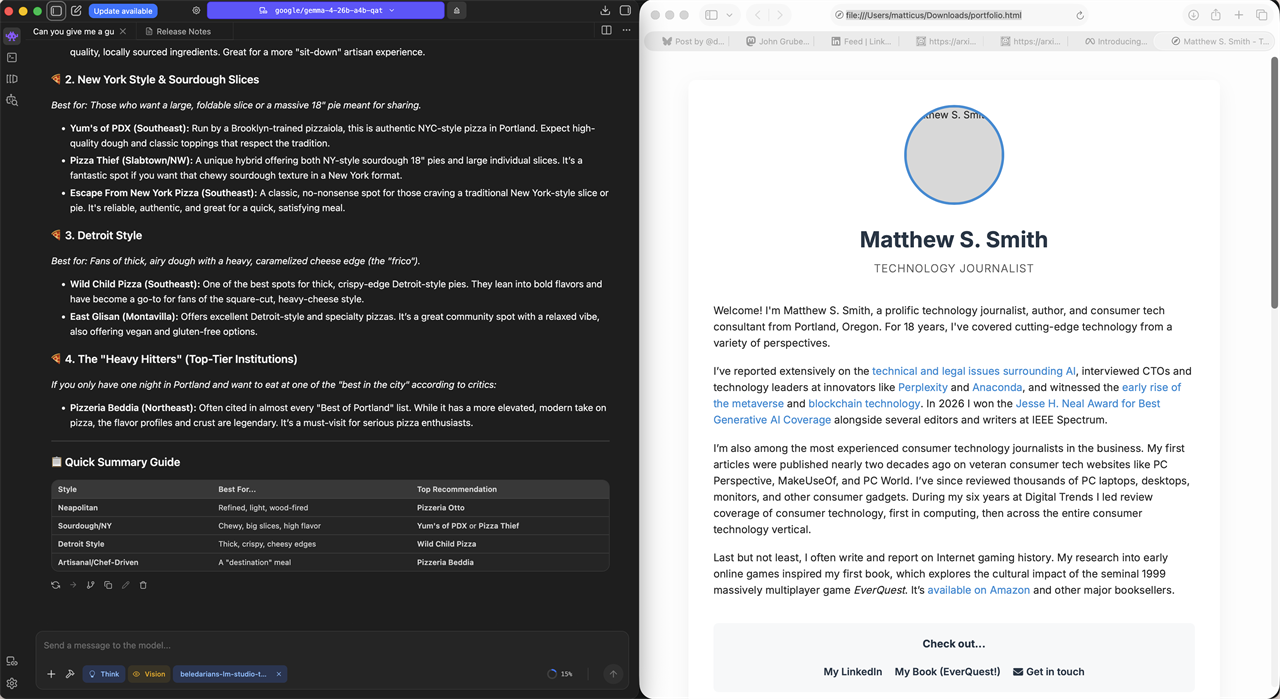
I wouldn’t say it’s perfect. I noticed a fair number of hallucinations when I asked both the 12B and 26B models to search the web or to scrape data. On the other hand, I was happy with its output when I asked it to rebuild my website.
Google also retains an advantage in the diversity of models it offers. It has models with 2B, 4B, 12B, 26B, and 31B parameters. The small models fit nicely in 8GB of memory, while the larger models are suitable for use on PCs with 32GB of memory (or more).
LiquidAI LFM2.5-2.6B: Released on August 4
Next up is another model from a smaller lab: LiquidAI’s LFM2.5 2.6B. As the model name implies, this model has only 2.6 billion parameters. The model’s 4-bit quantization comes in at roughly 1.5GB, which is by far the smallest model in this round-up. Even the full-fat BF16 model weighs in at just 5.41GB.

Despite the model’s small size, LiquidAI says it’s specifically trained for agentic workloads, and LiquidAI’s quoted benchmarks place its intelligence somewhere in the neighborhood of Qwen3.5-9B (it wins in some benchmarks, but loses in others).
I didn’t have much luck with the model. It will sometimes succeed at tool calls, but fails more often than I’d like. The format of the website it built for me was passable but the model repeatedly hallucinated extra details. Much like Bonsai’s model, LiquidAI’s model is convinced that all writers and journalists live in New York.
Meta Muse Glimmer: Released on August 10
Meta’s Llama 3.1 was a great local LLM in 2024, but Llama 4 was a dud, as the model’s intelligence failed to impress and the company never released versions of the model small enough to run on home PCs. But now, finally, Meta has a new model that can run on high-end PC hardware—Muse Glimmer.
Muse Glimmer is a dense model with 30 billion parameters. However, Meta says the model uses a speculative decoding method called Dflash, which can boost tokens-per-second output by up to 3.1x.
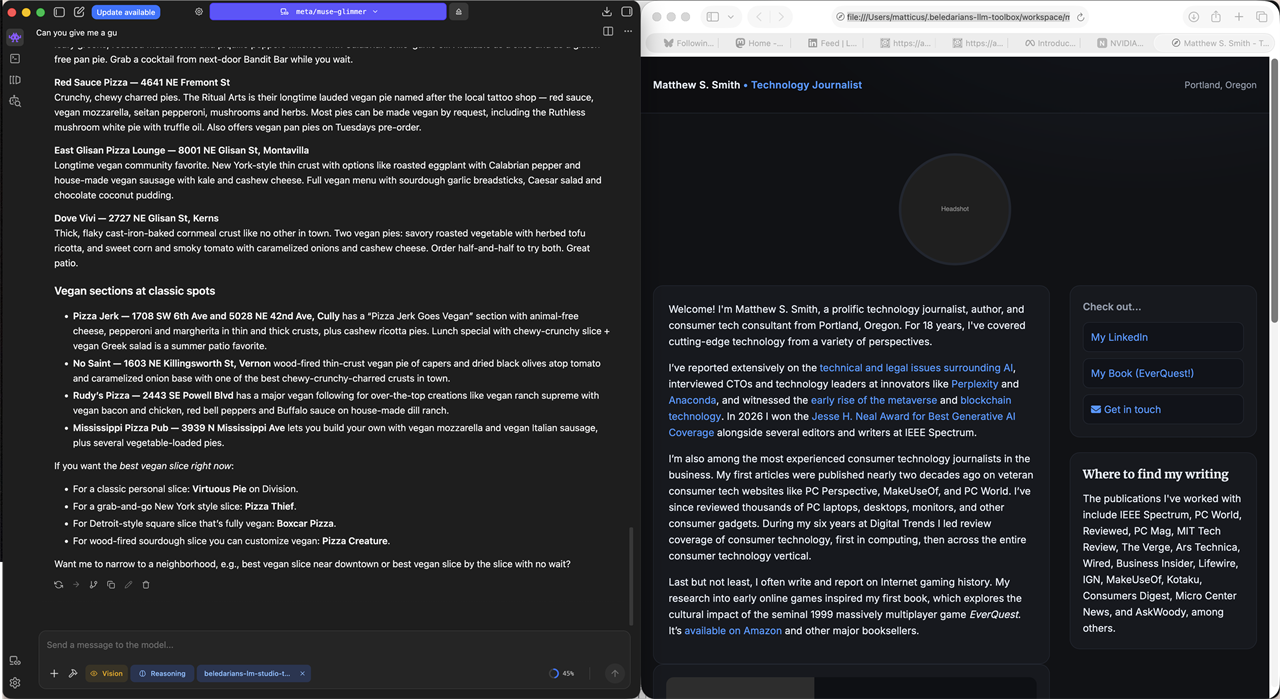
That was not my experience: the model output an average of 18 tokens per second, which is rather slow. It’s possible that’s because I was using AMD’s Ryzen AI Halo, as Meta only boasts about performance on Apple and NVIDIA hardware.
Glimmer’s text output style is notably different from most models. It feels as if the model was trained to output simple text easily formatted into markdown. That makes sense for an agentic workflow where many of a model’s outputs may not be seen by the end user. I also found the model suffered few hallucinations, and it produced a nice mock-up when I asked it to rebuild my website.
Honestly, I was impressed. It’s just a shame about the model’s slow tokens-per-second performance.
Nemotron 3.5 Lightning: Released on August 11
Nemotron 3.5 Lightning, a mixture-of-experts model with 30 billion parameters, is the NVIDIA’s latest attempt at an LLM.
Like Muse Glimmer, Nemotron 3.5 Lightning highlights its use of speculative decoding. It also has just 3 billion active parameters. As a result, Lightning lives up to its name with quick outputs. We’re talking 65 tokens per second, or more, on AMD’s Ryzen AI Halo.

But there’s no free lunch.
While the model can call tools reliably, its limited number of active parameters has a clear impact on model quality. The model can quickly browse the web and scrape data but often misunderstands information. That leads to hallucinations in outputs and can quickly knock the agent off track when it attempts automated tasks.
Nemotron’s attempt to rebuild my website was rather bad. It output an extremely simple HTML file with almost no formatting and completely ignored images. At least it didn’t claim I live in New York, I guess.
Qwen3.8 27B: Released on August 14
Alibaba shoved Qwen3.8 27B out the door without much fanfare. The only official source of information I can find is the model’s page on HuggingFace, and it doesn’t offer much explanation. Past Qwen models have been winners, though, so I had high expectations for this new release.
Qwen3.8 27B, like most modern LLMs, is a reasoning model, and it offers several levels of reasoning. You’ll want to pay attention to the level of reasoning you select, because it has a huge impact on the model’s behavior, quality, and the speed of its response.

The model defaults to “Extra High” reasoning. It’s good. Really, really good. Perhaps sometimes too good.
When I asked it to rebuild my website, for example, it noticed that it didn’t have access to the images (they were not in the workspace folder). Most models create placeholder URLs based on the file names I provided. Qwen3.8 27B on Extra High wasn’t going to settle for that, so it used vector graphics to fabricate images inside the HTML file. They’re not half bad, either.
The downside is that Extra High reasoning takes ages. The website rebuild took about half an hour on AMD’s Ryzen AI Halo. Fortunately, the model’s Medium reasoning setting solves the problem. Quality takes a hit, but it’s still decent, and a lot faster.
The trick, then, is to assign the model a level of reasoning effort appropriate for the task. Want it to code an app from scratch? Extra High reasoning is the way to go. The quality of results you’re likely to receive is superior to what other models can achieve.
But if you want to have the model hunt around for some information and scrape it off the web, selecting Medium or even Low reasoning can save you a lot of time.
Verdict: New models are solid, but bigger remains better
There’s a clear trend across all the new local AI models I sampled in this guide. The big models are good. The tiny models are less so.
Bonsai, LiquidAI, and NVIDIA all delivered fast models, and the first two are small enough to run on a GPU with just 8GB of memory. Unfortunately, all three have significant issues with hallucinations. While the models can make tool calls and operate autonomously, the quality of their output is lacking. Are these models agentic? Technically, I suppose so. In reality, I can’t imagine anyone would want to rely on them.
The larger models, on the other hand, are solid. Muse Glimmer is a step in the right direction for Meta's local AI efforts, Google’s updates to Gemma 4 are a big improvement, and Qwen3.8 27B is great. The catch, though, is that all three require serious hardware to run smoothly. You’ll need an RTX 5090, a high-end MacBook or Mac Studio, or an AI workstation such as the AMD Ryzen AI Halo or NVIDIA DGX Spark.
That’s going to disappoint a lot of people, because none of the hardware I just listed is inexpensive.
But there is some good news: Google’s Gemma 4 12B.
Google’s updates improved the model’s ability to handle tool calls, it doesn’t hallucinate much, and the 4-bit quantization needs about 8GB of memory before context. It’s the go-to pick if you want to run local AI on a GPU with 16GB of dedicated VRAM, or on a laptop with 24GB to 32GB of unified system memory.
More from MC News
- Run AI Locally: The Best LLMs for 8GB, 16GB, 32GB Memory and Beyond
- How to Use Local AI With Your Own Files: A Beginner's Guide to RAG
- Reading vs. Answering: The Two Hardware Bottlenecks Behind Local AI Performance
- How to Use a Local LLM in Visual Studio Code
- Hands-On with the AMD Ryzen AI Halo
- Quantization Explained: Why the Same LLM Gives Better Results on High-End Hardware
- Why Context Length, Not AI Model Size, Is Your Biggest VRAM Problem
- How to Use LM Studio to turn your PC into an AI Server
- Why VRAM and Memory Bandwidth are Key for Powering Local AI
- Keyboard 101: Intro to Computer Keyboards
- Fix It Yourself: Talking to iFixit on Why Repairable Tech Matters
- The Local LLM Your Laptop's Been Waiting For
- Gemma vs Qwen: Which Local AI is Best?
Matthew S. Smith is a prolific tech journalist, critic, product reviewer, and influencer from Portland, Oregon. Over 16 years covering tech he has reviewed thousands of PC laptops, desktops, monitors, and other consumer gadgets for publications including PC World, Reviewed, PC Mag, MIT Tech Review, The Verge, Ars Technica, Wired, and Business Insider. Matthew also hosts Computer Gaming Yesterday, a YouTube channel dedicated to retro PC gaming, and covers the latest artificial intelligence research for IEEE Spectrum.