Hands-On: Microsoft Surface Laptop Ultra

 Photo: Dan Ackerman
It's rare that we get an entirely new class of laptop, and even rarer that there's such an impressive flagship at its helm. In this case, we're talking about the RTX Spark, a new generation of laptops built for both AI development and creator-class workflows, and the Surface Laptop Ultra from Microsoft. At the heart of the Ultra is NVIDIA's new N1X chip, which features 20 Grace processor cores and 6,144 Blackwell graphics cores. That's the higher end of two variations available, the other having an 18-core CPU and a 5,120-CUDA-core GPU (as we saw in the Lenovo Pro 9n).
The other spec that'll make you sit up and take notice is the system's 128GB of unified memory, which is what makes it so killer for local AI. That's what positions the RTX Spark the high-end flagship that it is, although you can also find the Surface Laptop Ultra in memory configs including 24GB, 32GB, 48GB, and 64GB, and ranging from just over $2,500 to nearly $6,000.
Previously, to get 128GB of RAM in a PC, you'd often have to look at something like a Strix Halo laptop, a specialty desktop like the NVIDIA DGX Spark, or the AMD Ryzen AI Halo. All of these systems share the ability to split their unified memory between the CPU and GPU, letting you use more with the GPU for better AI performance.
And make no mistake, the real use case these RTX Spark laptops are designed for is running massive AI models locally. By supplying up to 128GB of shared LPDDR5X unified memory, the Grace CPU and Blackwell GPU share direct access to the same memory space. Armed with NVIDIA's 5th-generation Tensor Cores and native FP4 micro-scaling, an RTX Spark laptop can load and run massive 120-billion-parameter LLMs locally.
Design and features
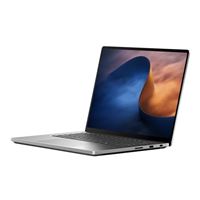
From across the room, the Surface Laptop Ultra looks a lot like a 16-inch MacBook Pro: square edges, a minimalist aluminum shell, and a huge trackpad.
 Photo: Dan Ackerman
The build quality is excellent. The keyboard deck is pressed into the aluminum rather than framed by a bezel, and the hinge is well balanced. The island-style keyboard itself has 1.4mm of travel, a three-level backlight, and a remappable Copilot key. The haptic trackpad is the largest Microsoft has ever built.
 Photo: Dan Ackerman
At 4.41 pounds and about 0.75 inches thick, with a raised, vented base to help cool the chip, this is closer to a portable desktop, especially when you include the 140W power brick.
That power brick deserves a little extra attention, as it terminates in a right-angle USB-C plug, which fits into a magnetic USB-C port on the laptop's right edge. It's a nice step up from the magnetic but proprietary connection on previous Surface Laptops. Like the MagSafe connector on MacBooks, this magnetic connection will keep your laptop safe if (or in my case when) you trip over the cable.
 Photo: Dan Ackerman
Of the three USB-C ports, only the one on the right edge is magnetic, but all three can be used for charging.
The 15-inch PixelSense Ultra touchscreen is Microsoft's first mini-LED panel. It runs at 3,270 x 2,180 in a 3:2 aspect ratio, with a variable 24-120Hz refresh rate. Microsoft rates it at up to 1,000 nits in standard mode and 2,000 nits peak for HDR, which makes it the brightest screen ever put on a Surface. It's touch-enabled but doesn't support a pen.
Ports and connections include three USB4 Type-C ports (40Gbps, DisplayPort 2.1, up to 140W charging), HDMI 2.1b, USB-A, a full-size SD card reader, and a headphone jack. Wireless is Wi-Fi 7 and Bluetooth 5.4.
For A/V, you've got a 1080p webcam with IR for Windows Hello, and quad Dolby Atmos speakers and dual studio mics, which make for an excellent audio experience.
The Surface Laptop Ultra even has some user-serviceable parts inside. Pop off the rubber feet and you'll find Torx screws. Remove those, and the SSD and battery are both accessible. RAM is permanently soldered in, however, but with 128GB of it, you should have all you need.
Setup and AI tools
This is also the first time that I've gotten to try out Microsoft's new onboarding for AI-ready PCs. Unlike the last time I installed the AI agent Hermes a few months ago (on the AMD Ryzen AI Halo), this time Windows walked me through the initial process, offering me the chance to automatically install Hermes, Open Claw, or Perplexity right on my first bootup.
Hermes itself has become much easier to use, and is now able to download and self-install an AI model directly from its initial walkthrough, rather than the old way of running your model from LM Studio, Ollama, or another model server. Especially for a laptop built for local AI use, to have built-in walkthroughs that scaffold you through installing Hermes and getting Qwen 3.8 running on it within minutes is a huge improvement, and will only make local AI that much easier for first-timers to use.
Performance
We previously benchmarked this system in the Micro Center Labs, and you can find those benchmarks below, along with some additional testing. It's important to note how a system like this differs from other high-powered PCs. Unlike a traditional laptop, where the GPU has its own small pool of video memory, here the CPU and GPU share one big pool. You can decide how much goes to the GPU in the NVIDIA app.
A typical gaming laptop GPU has 8GB to 16GB of video memory. With 128GB to share here, the Ultra can load models that simply won't fit on most PCs. NVIDIA says RTX Spark laptops can run models of up to 120 billion parameters locally, helped by fifth-gen Tensor Cores and native support for NVIDIA's FP4 data format.
| Model | General, short prompt | General, long prompt | Coding, short prompt | Coding, long prompt |
|---|---|---|---|---|
| GLM 4.7 Flash | 55.6 | 48.9 | 55.4 | 49.0 |
| Nemotron 3 Nano Omni 30B | 63.9 | 62.6 | 64.0 | 63.0 |
| Qwen3.5 122B A10B | 35.2 | 34.0 | 35.3 | 35.0 |
| Muse Glimmer 30B | 15.9 | 15.6 | 15.9 | 15.6 |
| Qwen3.8 27B | 14.5 | 14.1 | 14.8 | 14.3 |
| Model | General, short prompt | General, long prompt | Coding, short prompt | Coding, long prompt |
|---|---|---|---|---|
| GLM 4.7 Flash | 0.19 | 6.79 | 0.20 | 6.43 |
| Nemotron 3 Nano Omni 30B | 0.29 | 5.36 | 0.30 | 5.09 |
| Qwen3.5 122B A10B | 0.58 | 16.38 | 0.55 | 15.48 |
| Muse Glimmer 30B | 0.55 | 11.45 | 0.54 | 11.03 |
| Qwen3.8 27B | 0.40 | 14.92 | 0.43 | 14.20 |
| Model | General, short prompt | General, long prompt | Coding, short prompt | Coding, long prompt |
|---|---|---|---|---|
| GLM 4.7 Flash | 452 | 1,336 | 457 | 1,341 |
| Nemotron 3 Nano Omni 30B | 352 | 1,865 | 360 | 1,835 |
| Qwen3.5 122B A10B | 168 | 604 | 183 | 611 |
| Muse Glimmer 30B | 253 | 782 | 263 | 786 |
| Qwen3.8 27B | 352 | 665 | 338 | 669 |
| Setting / mode | 1080p | 1440p | Full res (3270 x 2180) |
|---|---|---|---|
| Low / Native | 91.32 | 81.60 | 53.90 |
| Low / DLSS Balanced | 95.75 | 90.89 | 69.69 |
| Low / DLSS + 4x FG | 305.65 | 196.60 | 145.52 |
| Ultra / Native | 71.90 | 48.58 | 25.43 |
| Ultra / DLSS Balanced | 82.14 | 65.34 | 39.53 |
| Ultra / DLSS + 4x FG | 224.10 | 151.20 | 105.40 |
| RT Low / Native | 68.44 | 44.21 | 23.76 |
| RT Low / DLSS Balanced | 82.96 | 61.58 | 37.42 |
| RT Low / DLSS + 4x FG | 215.95 | 147.26 | 100.62 |
| RT Ultra / Native | 32.27 | 21.48 | 13.61 |
| RT Ultra / DLSS Balanced | 52.44 | 37.60 | 24.45 |
| RT Ultra / DLSS + 4x FG | 155.86 | 109.96 | 76.47 |
For anecdotal local AI testing, I installed current fave Qwen 3.8 27B via Hermes and asked it to build me a modern-looking single-page website. Qwen 3.8 took about 30 minutes to come up with the initial draft, as seen here.
It is rare that we get to witness the kickoff of an entire new class of laptop, and while we've seen Windows-on-Arm PCs before, this is part of the first wave to feature NVIDIA N1X chips, which now join chips from Intel, AMD, and Qualcomm as valid options for high-powered Windows PCs. The tight coordination between NVIDIA and Microsoft in this machine — essentially the flagship RTX Spark laptop — means you get a laptop that's powerful, well-designed, and thoughtfully curated to be easy to use for local AI.
In some ways, this is a proof-of-concept product, the first in what will be a long line of Windows laptops firmly aimed at that growing local AI market. It's also one of the most powerful, ambitious laptops I've tested, and has quickly become one of my daily drivers for everything from coffee shop AI sessions to casual gaming.