Benchmarking AI on an RTX 5080: How Well Do Popular LLMs Run?

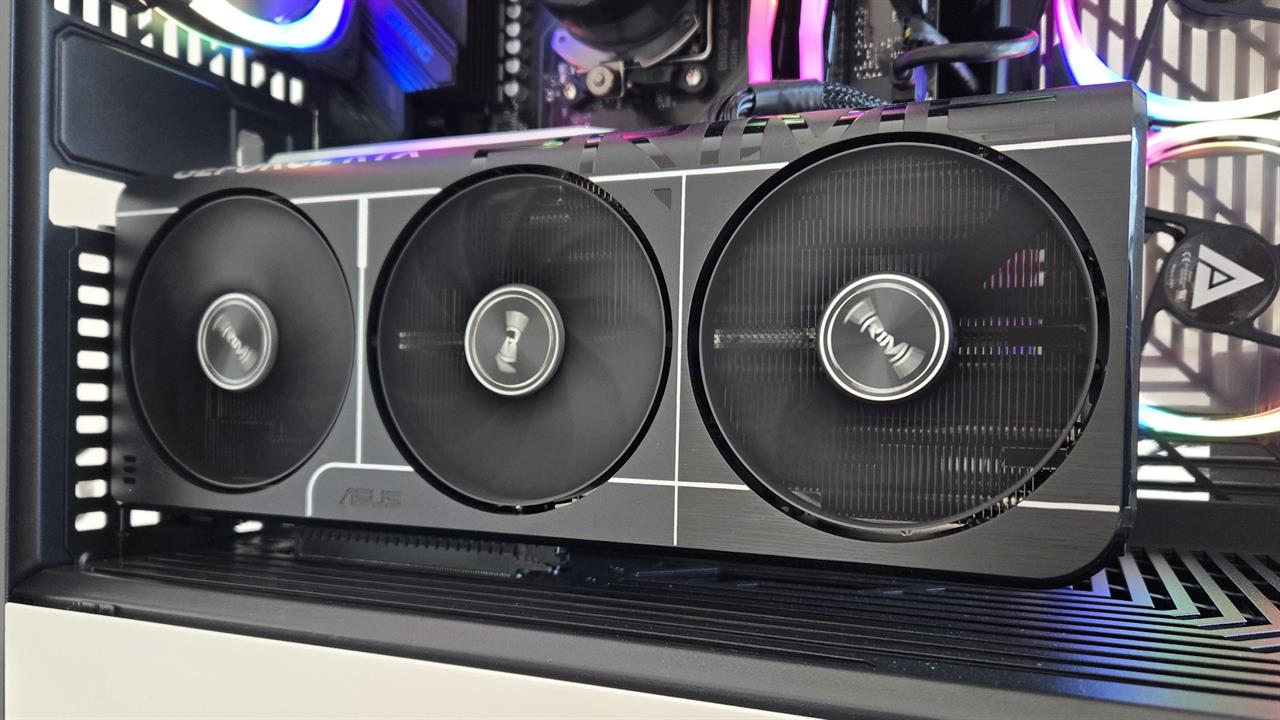
LLMs normally need a lot of processing power -- ideally either supercomputers in data centers or specialized machines like the NVIDIA DGX Spark. But how far can you get with a high-end gaming PC using off-the-shelf consumer hardware?
I benchmarked an NVIDIA GeForce RTX 5080 with LM Studio and a variety of models. Think of this as a roughly $1,000 GPU inside a desktop that's somewhere in the $2,000 to $3,000 price range.
How I ran the benchmarks
I'm testing an NVIDIA GeForce RTX 5080 GPU, which has 16GB of VRAM. The test system has an AMD Ryzen 9 9900X CPU, 32GB of RAM, and a Samsung 990 PRO SSD. But the GPU is what really matters here.
For these tests I ran a range of open-source models in LM Studio, including gpt-oss-20b, which needs at least 16GB of VRAM, as well as other models from the Llama, Qwen, Magistral, and Gemma families. I also tried to run models that are too large to fit into this GPU's memory -- like gpt-oss-120b, which needs over 60 GB of VRAM -- to see what happens.
I also noted the quantization type for each model I ran -- an essential piece of information that's often overlooked (you can learn how quantization works in our explainer). The relevant benchmarks are time to first token (how long it takes before the model starts outputting tokens) and tokens per second (how fast the model generates output tokens). I also checked the GPU's VRAM usage with the model loaded, as reported by the nvidia-smi command.
RTX 5080 LLM benchmark results
To check how well an RTX 5080 can run local LLMs, I ran the following prompt with each model:
"Write a Python function that finds the longest palindromic substring in a given string. Explain your approach."
The results show how far you can scale before you hit the RTX 5080's VRAM limit. They also demonstrate how token speed drops as models grow larger, even when they do fit in memory.
| Model | Quantization | VRAM usage | First token (seconds) | Tokens per second |
|---|---|---|---|---|
| qwen3-4b-2507 | Q4_K_M | 5.8 GB | 0.10 | 188.90 |
| microsoft-phi-4 | Q4_K_M | 12.0 GB | 0.08 | 79.45 |
| qwen3-coder-30b | Q4_K_M | 12.6 GB | 0.31 | 35.61 |
| gpt-oss-20b | MXFP4 | 13.5 GB | 0.22 | 52.15 |
| magistral-small-2509 | Q4_K_M | 14.4 GB | 0.30 | 13.33 |
| gemma-3-27-b | Q4_0 | 15.4 GB | 0.94 | 9.03 |
| llama-3.3-70b | Q3_K_L | Did not fit | 1.74 | 2.42 |
| gpt-oss-120b | MXFP4 | N/A | N/A | N/A |
Once the models exceeded what the RTX 5080 could fit in its VRAM, things started falling apart. LM Studio "loaded" Llama-3.3-70b without complaint. Once it ran, it was running with CPU inference -- and it was pegging the PC's swap file, too. The PC didn't have enough RAM. It's worth noting that LM Studio didn't show a clear warning it would be running this model on the CPU. If you don't look under the hood, you may not realize a model is too large for your GPU and that's why it's running slowly.
LM Studio stopped me from loading gpt-oss-120b, warning it would require about 61.58 GB of memory. These models need more VRAM.
RTX 5080: Surprisingly fast, limited by VRAM
The RTX 5080 uses NVIDIA's Blackwell architecture with 5th-generation Tensor Cores -- the same Tensor Core generation you'll find in the NVIDIA DGX Spark workstation. For small, less demanding models a consumer GPU is more than capable, but you'll need to stick to ones with the right quantization, which is the key to fitting fit models with large numbers of parameters into a GPU's VRAM.
If you're getting useful output at 50 tokens per second, that's almost certainly good enough for many real-world applications where you'd want to run a model on a high-end desktop PC. The LLM can output tokens faster than you can read them. However, if the LLM is a reasoning model that spends tokens "thinking" before answering, that will slow things down.
If you plan on having the model perform agentic tasks, the more speed the better. 50 tokens per second is well below what you'd see from an AI model running on a high-end data center, but you could skip the data center if you had local hardware that could run the models faster.
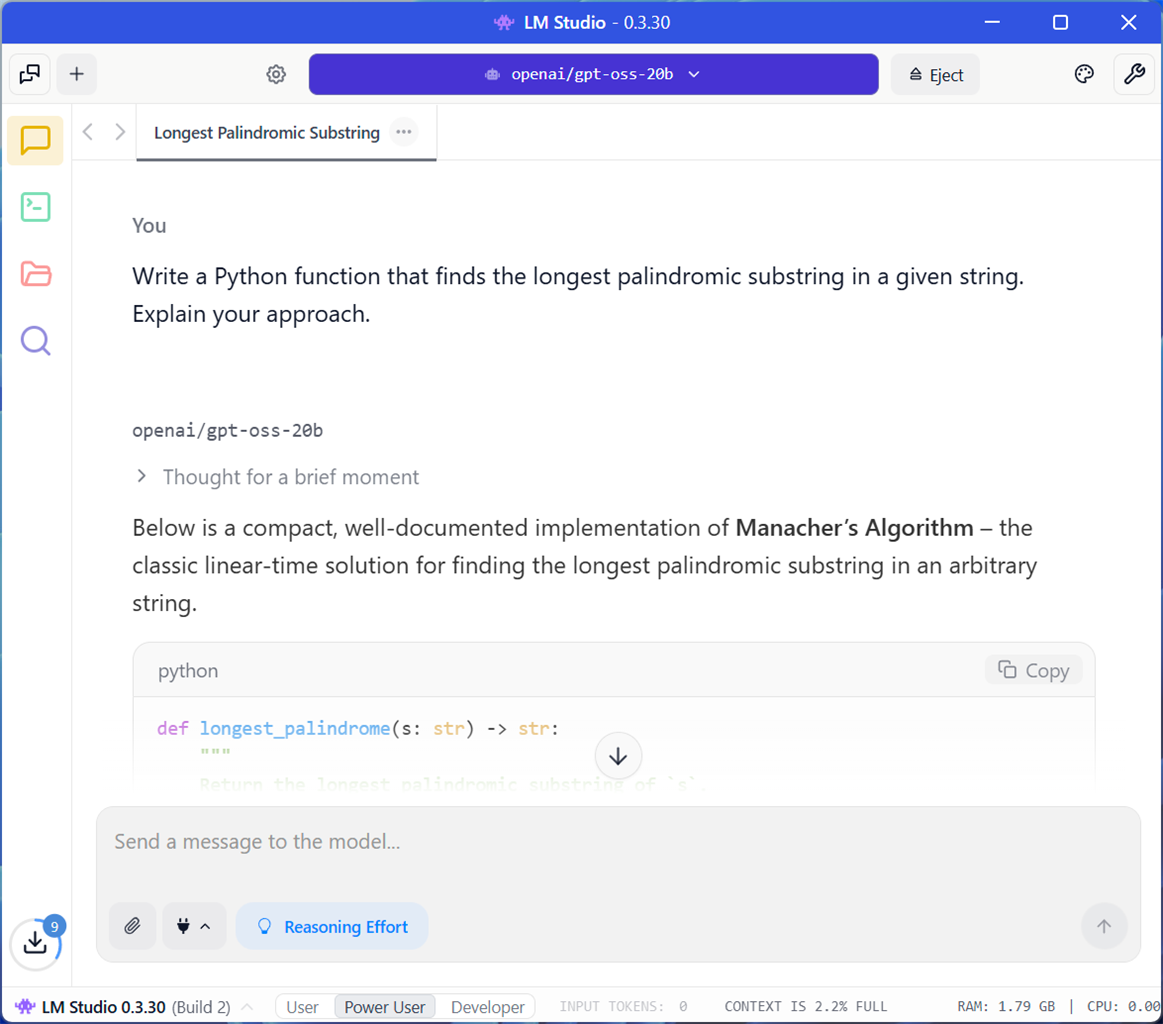 Photo: Chris Hoffman
LLM output quality is hard to benchmark
LLM output quality is hard to measure, as different LLMs are optimized for different tasks. For one use case, a model optimized for AI-assisted coding may be best. For people looking for creative writing, a completely different model will be ideal -- and that model may not be suitable for coding at all. Even for a task like coding or writing, models can have different strengths.
In general, models with a larger number of parameters produce better output, but they need more VRAM. An RTX 5080 can only fit models with so many parameters into VRAM, unless you're using aggressively quantized models, which can reduce output quality.
If you're not sure which model is ideal for your use case, I recommend you do some of your own testing. Use a cloud API service like OpenRouter to run prompts and test open-source AI models that don't run well on your current hardware.
How well does an RTX 5080 run local LLMs?
With 16GB of VRAM, an RTX 5080 can run surprisingly capable models locally. It can run them with good speed and with enough tokens per second that the model can output faster than you can read. For agentic tasks or AI-assisted coding, you may want faster hardware that can deliver more tokens per second.
More importantly, for better quality output, you may need hardware with more VRAM. If 16 GB isn't enough VRAM, you can also go for a higher-end consumer GPU. The NVIDIA RTX 5090 or 4090 both offer 24 GB of VRAM. That extra 8 GB will allow you to run some models that are a little too large for 16 GB of VRAM.
If you need much more VRAM than that, that's when a system like the NVIDIA DGX Spark starts to become compelling. For many tasks, the answer will be more about what model you need to run and whether your system can fit it into VRAM.
An RTX 5080-powered desktop can be a surprisingly powerful AI workstation. Many tasks don't need a 70B or 120B parameter model. A quantized 13B model tuned for what you need might deliver faster, better results and your path to better local AI may involve finding the right models, not just buying more-powerful hardware.
But, if the model you need doesn't fit into 16 GB of VRAM, or if you want more speed, then higher-end hardware starts to shine. Just don't overlook how powerful consumer GPUs like the RTX 5080 can be. For local AI in the real world, it may be all you need.
More from MC News
- Run AI Locally: The Best LLMs for 8GB, 16GB, 32GB Memory and Beyond
- Quantization Explained: Why the Same LLM Gives Better Results on High-End Hardware
- Why VRAM and Memory Bandwidth are Key for Powering Local AI
- Hands-on with NVIDIA DGX Spark: Everything You Need to Know
- How to Build a PC with a Hardline Water-Cooling Loop
- 3D Print a Mac Mini Monitor Mount
- The End Has Come for Windows 10: Four Tips to Make the Most of Windows 11
- Everything You Need to Know About WiFi 7
- Keyboard 101: Intro to Computer Keyboards
- Fix It Yourself: Talking to iFixit on Why Repairable Tech Matters
Chris Hoffman is a veteran tech journalist and the former Editor-in-Chief of How-To Geek. He's been going hands-on with PC hardware and getting his hands dirty with Windows for 15 years. And has written for publications including PCWorld, PCMag, Computerworld, The New York Times, Fast Company, and Reader's Digest.