Reading vs. Answering: The Two Hardware Bottlenecks Behind Local AI Performance
Local AI inference has two distinct performance phases, and they can stress your hardware in very different ways. Here's what that means for your next build.AI

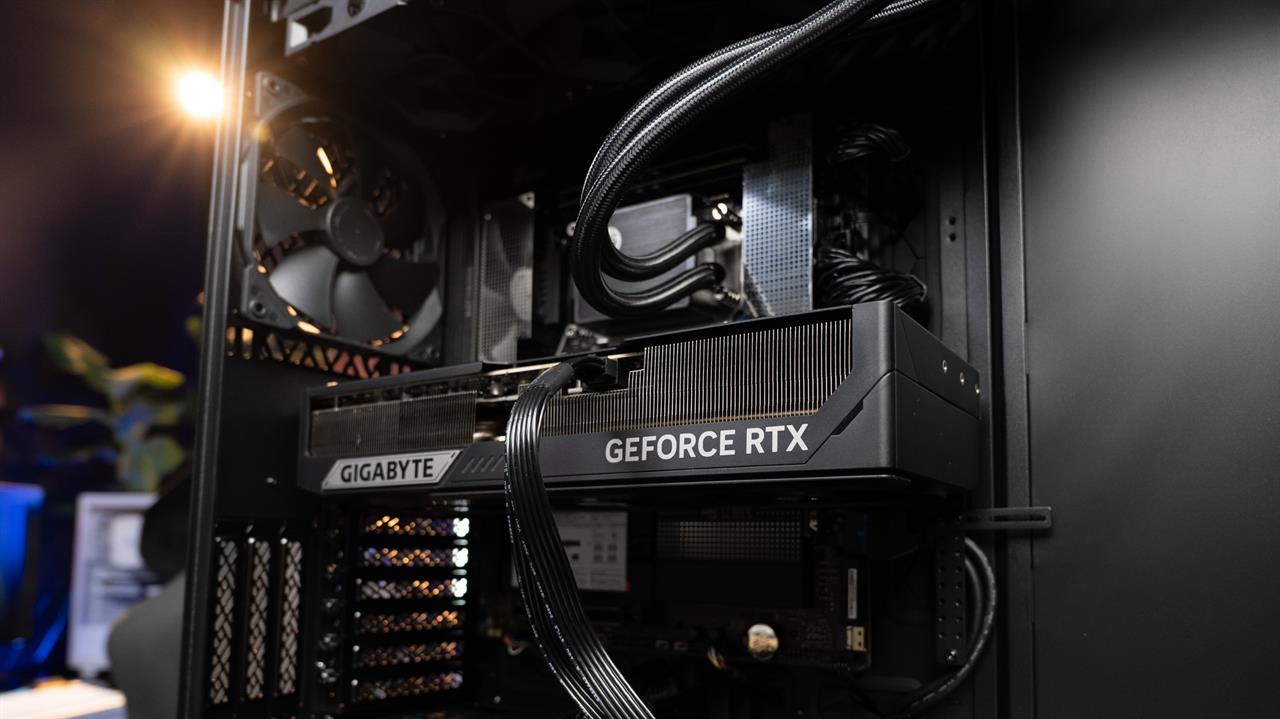
Photo: Jacob Bobo
The buzz around running local AI and how much VRAM it consumes can be misleading. We've learned to universally associate AI with VRAM, and the general consensus is that more VRAM equals better AI performance. But it's a lot more nuanced than that, and the kind of LLMs you're planning to run will influence the kind of hardware that works best for you.
A local AI model may feel fast in simple chats but slow the moment you feed it a large prompt or a document-heavy workload. There's a reason for that, and it doesn't always just come down to needing more VRAM. Let's explore the two distinct parts of using local AI, and how each works on the hardware end.
Local AI performance comes down to more than just one thing
Of course, if you're running local LLMs, you probably use them for more advanced tasks, but the core concept of interacting with them is the same: you submit a prompt, wait for a response, the response loads, and you're done. But what many people aren't aware of is that there's more than one workload involved here.
There are two phases involved in generating a response to a prompt: prefill, also known as prompt processing, and decode, also known as token generation.
Prefill is the phase where the model reads and processes everything you've told it to do. It goes over your prompt, your instructions, and any files you've pasted in or pulled in through a retrieval-augmented generation (RAG) setup. Decode is the phase where it prepares the response for you, one token at a time. Even at its foundation, this is a pretty natural process — well, as natural as interacting with artificial intelligence can ever be. Still, it's often misunderstood.
Each of these two phases leans on a different part of your GPU. That's why a graphics card that has no problem with quick back-and-forths, even with heavy LLMs, may struggle when you hand it a long document, and why VRAM isn't the answer to everything.
We'll start with what happens the moment you hit enter.
The "reading" phase: prompt processing
Before the model gives you a response, it needs to read everything you've given it. That's prefill. Your prompt, your system instructions, and any documents you've pasted in or pulled from RAG all get processed first, and the model can't start forming a response before it's done processing your input.
Hardware-wise, prefill is very different from decode. As the LLM processes all of the input tokens at once, in parallel, this means heavy mathematical work, which leans hard on your GPU's raw compute power. In practical terms, this means teraflops, or tera floating-point operations per second (TFLOPS).
Why is prefill compute-bound?
This heavy computational workload is why prompt processing is what's known as compute-bound. The ceiling for how fast your prompts are processed isn't tied to VRAM here. It's all about TFLOPS, which indicate how fast your GPU can crunch numbers. A newer card with more compute headroom will push through this phase faster than an older GPU, even if they have the same amount of VRAM.
The impact of this shows up as something called time to first token, or TTFT. To put it plainly, it's about how long you wait between hitting enter on your prompt and receiving the first word of the response.
Short, uncomplicated chats lead to quick prefills, so quick that you'll hardly notice them. But if you feed the LLM a lengthy task or a big file, it has to process thousands of tokens before it can even begin drafting a response for you. That can make this seemingly straightforward task stretch from a couple of seconds to, well, many more seconds.
RAG workloads make it especially obvious, because adding retrieved documents into context can mean tens of thousands of tokens all going through the prefill process before you hear back from your LLM.
If you're noticing that your local AI feels snappy when it's actually responding to you, but it's taking ages between receiving the prompt and acting on it, it might be bottlenecked by your GPU's compute power.
The "answering" phase: token generation
Once prefill is done and the model has read everything, it starts the token generation process. You've probably noticed the way token generation works without even giving it much thought: you get one token, or word, at a time.
Every single token the LLM produces requires a full pass through the entire model. So, let's say that you're getting a 400-token response: that means your GPU had to effectively run the whole model 400 times over to get there.
Why is decode bandwidth-bound?
Moving on to decode kind of flips everything on its head. To run each of those passes, your GPU has to read the model's weights out of VRAM, and it has to do that again and again for each new token it generates. You guessed it: token generation is heavily bandwidth-bound.
Your GPU is still doing math here, just not much of it per token, so the bottleneck isn't how fast it can calculate. It's how fast it can read all those weights out of memory, and that's set by memory bandwidth, measured in gigabytes per second (GB/s).
Generating one token at a time is too small and too sequential a job to keep all those cores busy, so the bottleneck moves from raw horsepower to raw memory speed. Meanwhile, most of your GPU's compute sits there while bandwidth does the heavy lifting.
The key number to watch here is tokens per second (tok/s). For a given model, tok/s tracks closely with memory bandwidth, which is why your GPU's bandwidth figure tells you far more about this phase than its compute specs do.
Swapping a GPU for one that has a boatload of really fast VRAM may not be an option, but you can pull a secret lever that helps with bottlenecks: quantization. Running a smaller, quantized version of a model means less data for your GPU to read on every token, and that's a direct boost to your tok/s. It also shrinks the model's footprint in VRAM.
That brings us to one final, but crucial catch: all of the above assumes that your GPU has enough VRAM to fit the entire model in the first place. If it doesn't, it needs to offload part of the work to your system RAM, which is slower than VRAM. Your token generation speed drops off if it gets to that stage.
The caveat that changes it all: KV cache
There's one more piece that grows the longer you use the model, and it's the part that ties both these phases together: KV cache.
Remember how prefill builds an understanding of everything you fed the model? It has to store that understanding somewhere, and that somewhere is the KV cache, short for key-value cache.
As the model reads your input during prompt processing, it calculates a set of values for every token, then keeps them close at hand. That way, when it moves into token generation, it doesn't have to go over everything and reprocess your entire prompt for every new token it writes; it just peeks back into the cache.
The catch is where that cache lives: in your VRAM, right alongside the model's weights. And, unlike most caches in computing, it doesn't stay a fixed size. The longer your context gets, the bigger the KV cache grows, so while a short prompt barely registers, a long document, a RAG workload, or a conversation that's been running for a long time can balloon the cache. Eventually, it becomes a serious chunk of your VRAM, and you'll see the performance drop.
A model might fit into your VRAM comfortably with room to spare, but a massive KV cache can quickly result in it spilling over into system RAM.
How to choose hardware for the way you use local AI
Building a PC for running local AI comes down to more than just choosing the right specs for your model. There's no single spec that makes a GPU universally good at local AI, and the right card depends on what you actually run.
When picking your hardware, start with VRAM capacity, because that's the first wall you'll hit. The model and its KV cache both have to fit, and the cache only grows as your context does, until the two no longer fit together.
From there, match the rest to your workload. If you mostly want quick back-and-forth prompts, prioritize memory bandwidth, since that's what drives your tok/s during decode. If you're feeding in long documents or running RAG, compute matters more, because that's what cuts back on your wait during prefill. And if you expect to do a mix of both, you'll want a card that can handle both jobs, so a mix of compute, VRAM capacity, and bandwidth.
For most people, a 16GB or 24GB consumer card, like the AMD Radeon RX 9070 XT, paired with a sensibly quantized model is plenty. But, if you're running genuinely large models locally, a workstation card like the NVIDIA RTX PRO 6000 Blackwell and its 96GB of GDDR7 memory solves one problem that more compute can't: running out of room. Short of that, a 32GB card like the consumer NVIDIA RTX 5090 or the Intel Arc Pro B70 gives you far more headroom than a typical gaming GPU.
Just remember our lesson from earlier: the B70 leans on capacity over speed, so its lower bandwidth will cap your tok/s on big models. Beyond that, make sure that your tools support Intel's software stack, as NVIDIA's CUDA is seen as the go-to in local AI.
If you're thinking of building a PC for running local AI, or you're just looking to upgrade your current rig, stop by your local Micro Center. Our experienced associates can help you pick according to your AI workloads and effectively help you make the most of your purchase.
More from MC News
- Run AI Locally: The Best LLMs for 8GB, 16GB, 32GB Memory and Beyond
- Quantization Explained: Why the Same LLM Gives Better Results on High-End Hardware
- Why Context Length, Not AI Model Size, Is Your Biggest VRAM Problem
- How to Use LM Studio to turn your PC into an AI Server
- Why VRAM and Memory Bandwidth are Key for Powering Local AI
- Keyboard 101: Intro to Computer Keyboards
- Fix It Yourself: Talking to iFixit on Why Repairable Tech Matters
- The Local LLM Your Laptop's Been Waiting For
- Gemma vs Qwen: Which Local AI is Best?
Monica J. White is a tech journalist who specializes in PC hardware. She built her first PC over 20 years ago and has spent over a decade covering every aspect of DIY PCs, prebuilts, laptops, peripherals, cybersecurity, and AI. Her work has been published in TechRadar, Tom's Guide, PC Gamer, How-To Geek, SlashGear, Digital Trends, Tom's Hardware, and Laptop Mag.